
Shopify collection pagination SEO is about making later products reachable without forcing every visitor to load an entire catalogue at once. A collection can look polished on page one while its later products are difficult to browse, share or discover through ordinary links.
The useful question is not whether numbered pages are more fashionable than a load-more button. It is whether your chosen interface preserves stable addresses, clear navigation and access to the products throughout the collection. This guide provides a practical acceptance checklist for a Shopify theme or collection-app change.
Separate browsing design from content access
Numbered pagination gives shoppers an explicit position in the list. Load more extends the visible list after an action. Infinite scroll loads additional results as the reader moves down the page. Each can be appropriate, but a pleasant visual effect does not prove that later content is accessible through links.
Google's pagination guidance explains that crawlers generally discover URLs through links rather than interacting with buttons. Preserve a navigable route to the underlying pages even when JavaScript improves the browsing experience.
For a platform-independent explanation, start with our pagination SEO guide. The checks below focus on the Shopify collection journey.
Inspect a real later collection page
Choose a collection large enough to have several pages. Open its second or third page directly rather than only navigating there from the homepage. A common address pattern includes a page query parameter, but inspect your actual theme rather than assuming a particular implementation.
Confirm that the address displays the expected later products when opened in a fresh browser tab. It should not silently show the first page while retaining a misleading page number in the URL.
Also test the final valid page and a page beyond the available range. Document unexpected behaviour for the theme developer. An empty grid with no explanation can leave both visitors and maintainers unsure whether products have disappeared.
Review links, not just button styling
Look for ordinary navigation links between collection pages and links from product cards to product detail pages. A control can look like a button while still being a useful link; its visual style is not the decisive factor.
Test keyboard navigation as well as touch. Can somebody identify the current page, move forward and return without relying on a hover effect? Are controls still usable beside cookie notices or sticky purchase elements?
When a collection app replaces native theme navigation, repeat these checks after the app is enabled. Do not assume a previously working journey remains intact because the collection address has not changed.
Distinguish pagination from filtered duplicates
Page two of a collection usually represents a different slice of the list. A different sort order may show the same items in a different sequence. Filters can create further combinations. These are related implementation concerns, but they should not all receive one blanket canonical rule.
Inspect the canonical element on representative URLs. For a genuine paginated sequence, avoid automatically labelling the first page as the preferred version of every later page. Google's documentation recommends separate canonical URLs for pages in that sequence.
Record what the theme and any app actually output before editing it. If the result is unexpected, ask the developer to explain the intended rule and verify it against the final rendered page. Read our faceted navigation guide when filters create a much larger URL set.
Use Shopify's pagination tools carefully
Shopify's Liquid paginate documentation describes how to split supported arrays, including collection products, across pages. It also exposes pagination data that a theme can use to build navigation.
For a standard theme, begin by reviewing the existing collection section rather than pasting a second loop into it. Duplicated loops can render products twice or conflict with collection filtering. A developer should work in a duplicate theme and check compatibility with the store's actual sections and apps.
Treat a small demonstration snippet as an explanation of a concept, not a complete production collection template. Product-card rendering, accessibility labels, filtering and localisation still belong to the theme's implementation.
Make load more a progressive improvement
If you prefer load more, agree what happens when the script is unavailable, a request fails or someone opens a later address directly. The interface needs a useful state for each of those situations.
Show loading feedback and keep the triggering control in a predictable place. After products arrive, avoid moving keyboard focus unexpectedly. If loading fails, offer a clear retry or an ordinary next-page route.
The same thinking applies to infinite scroll. A shopper should be able to reach useful footer information and recover their place after viewing a product. A visually seamless list can become tiring when there is no sense of progress or reliable return path.
Test sorting and filters together
Start from a later page, apply a filter and observe the resulting products and address. Then clear the filter, change the sort order and reload. These combinations often reveal issues that a page-one-only review misses.
Record whether the page number resets intentionally when the available result set changes. A collection that had six pages before filtering may have only one afterwards. Keeping an invalid page number can create an apparently empty catalogue.
Use a small test matrix: initial page, later page, filtered list, sorted list and no-results state. Include a touch device and at least one keyboard-based run. A concise record is easier to reproduce than a comment saying that the collection “feels broken.”
Check the product detail journey
Open a product from a later collection page, choose an option and return to the collection. Confirm what happens to scroll position, filters and the current page. The exact behaviour depends on the theme and navigation method, so judge it against the intended customer task.
Make sure product cards identify the item clearly and link to the intended product. Avoid inaccessible image-only controls where the product's name is unavailable to assistive technology.
Product discovery also depends on the destination itself. Our ecommerce product-page SEO guide explains how product information can support the decision after someone leaves the collection.
Use a collection release checklist
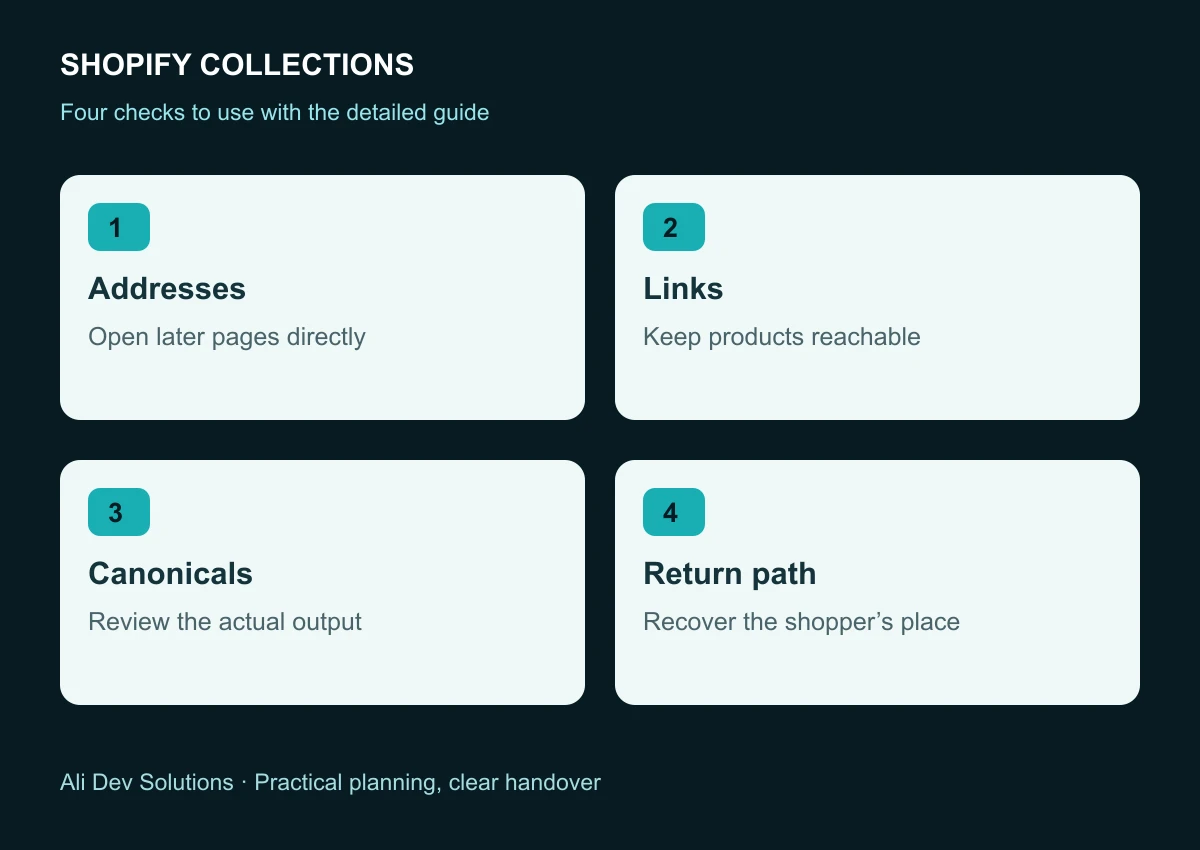
Before approving the change, confirm that representative later pages open directly, product links work, current-page controls are understandable, canonical rules are deliberate and filtered empty states are explained.
Add performance and content checks. Test image loading on a realistic mobile connection, confirm collection descriptions remain readable and check that an app has not added several competing navigation systems.
After release, review selected collection and product URLs in Search Console alongside genuine shopping behaviour. A successful technical check makes discovery possible; it does not guarantee that every product will be indexed or rank well. For a theme review that considers both discovery and customer experience, discuss your Shopify store with Ali Dev Solutions.