
Holiday shoppers often arrive with a person, occasion, or budget in mind rather than a product name. A store organised only around internal product types can make that visit harder than it needs to be. A useful gift guide bridges the gap between what the shopper is trying to choose and what the business can reliably deliver.
For the 2026 holiday season, the opportunity is to build a considered shopping journey rather than another page containing the entire catalogue under a festive heading. This guide explains how to choose useful themes, connect editorial advice with Shopify collections, prepare the mobile experience, and maintain the page as stock and delivery information change. It is a planning workflow, not a promise of seasonal search rankings or sales.
Begin with a real gift-buying decision
Choose a specific question your store can answer. “Gifts for people who enjoy making coffee at home” gives you a more useful editorial brief than “Best gifts.” A budget-led guide, a recipient-led guide, and an occasion-led guide each imply different selection criteria.
Use the evidence already available to the business. Review customer questions, common product comparisons, and requests received by the support team. Ask which products need explanation before someone can confidently give them as a gift. Do not assume that the most heavily promoted item is always the easiest choice for an unfamiliar buyer.
Write a short statement of the guide's promise. Include who it is for, what range of products it covers, and any important limits. That promise should guide the title, introduction, product selection, and navigation rather than being added after the page is assembled.
Choose the smallest useful set of themes
A focused retailer does not need dozens of overlapping gift guides. Start with themes that genuinely help customers choose and that the catalogue can support. An illustrative homeware store might consider gifts for small kitchens, thoughtful host gifts, or a clearly defined budget range.
Avoid producing many pages whose only difference is a slightly altered heading. Each guide should have a distinct reason to exist and enough relevant products or advice to fulfil its promise. If two ideas lead to the same selection and explanation, combine them or make one a section within the stronger guide.
Plan the relationship between the main holiday hub and the focused guides. The hub can introduce the themes and help visitors choose a route. The focused page can explain the selection in more detail. Keep the structure understandable rather than creating a hierarchy simply to make the store appear larger.
Decide what belongs in a guide and what belongs in a collection
An editorial guide explains choices. A collection helps customers browse and open products. The two can work together, but they should have clear roles. A longer guide might explain the difference between product types, while a linked collection offers a concise, shoppable selection.
Shopify's current collection documentation describes grouping products by category, theme, or customer intent. It also notes a transition in the collections model, so the controls available can differ between stores. Check your actual admin rather than following an older tutorial's labels blindly.
Sketch the journey before building: where the shopper arrives, what they learn, how they narrow the choice, and where they open the product. If the page moves someone between several nearly identical grids without adding useful context, simplify the path.
Curate products with clear selection rules
Choose products that fit the promise and can be presented honestly. Consider the information a gift buyer needs: what the product is, who might appreciate it, what is included, whether another item is required, and which options must be selected.
Create a simple review worksheet with the product, reason for inclusion, supporting image, availability owner, and important caveat. A compact coffee grinder may suit one recipient but require a separate brewing setup. A personalised item may need information the buyer has not yet collected. Those details belong in the buying advice.
Keep the selection manageable. A useful shortlist offers comparison and explanation. A page that adds every product may reproduce the catalogue's original decision problem. Shopify's gift-guide overview provides wider seasonal context; the selection and maintenance method here should be adapted to your own customers and inventory.
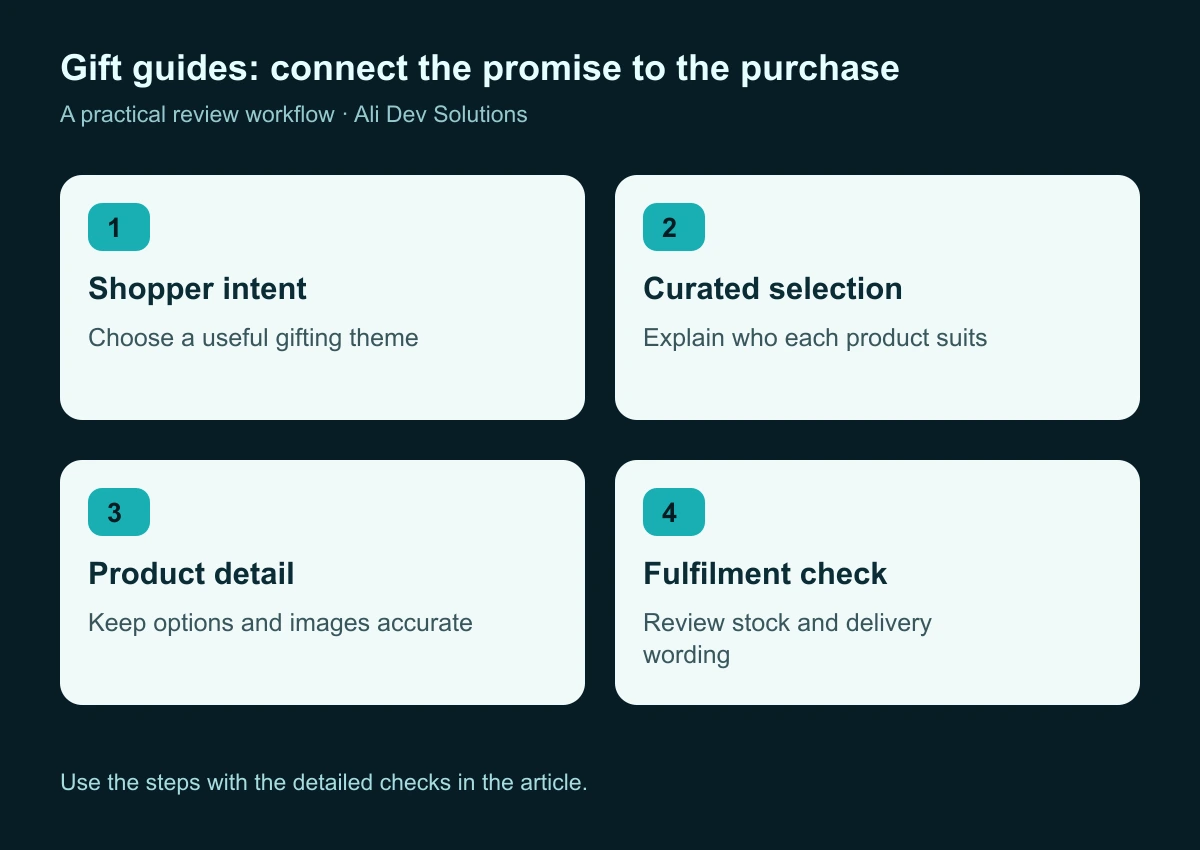
Keep the guide's promise connected to the products and delivery information behind it.
Write product explanations for someone buying for another person
A gift buyer may know less about the product than the intended recipient. Explain the relevant difference in everyday language. Rather than repeating the manufacturer's specification list, describe what the feature changes about the choice.
Use consistent comparison criteria across the guide. For an illustrative coffee selection, that might include experience level, preparation method, space required, and whether the gift can be used immediately. Make clear when an example is a planning illustration rather than a description of a product currently sold by your store.
Avoid unsupported superlatives such as “perfect for everyone” or “the best gift available.” A specific explanation of who a product suits is more useful than a universal claim. Where suitability depends on taste, size, compatibility, or experience, help the buyer recognise that uncertainty before they order.
Make the page easy to scan on mobile
Start the page with a short introduction and the main shopping routes. Do not make someone pass through a long seasonal essay before seeing the selection. Use readable headings and a card layout that allows product images and names to remain clear at narrow widths.
If a guide has several sections, add useful in-page navigation. Keep labels concise and ensure they land at the intended content. Test whether a sticky header covers the heading after a jump. A design detail that looks minor on desktop can interrupt the journey repeatedly on a phone.
Keep the primary action consistent. A reader should know whether they are opening a product, viewing a collection, or reading more advice. Avoid several competing buttons on every card. The ecommerce site-search guide offers additional ideas for helping shoppers who do not use the guide's suggested routes.
Use imagery to explain scale, contents, and options
Holiday graphics can create atmosphere, but product information should remain the priority. Show enough detail to make the selection understandable. A beautifully wrapped box is not a substitute for showing what the buyer will receive.
Plan which images belong to the guide and which belong to the product detail page. A guide may use a consistent editorial composition, while the detail page provides close-ups, dimensions, and variant imagery. Keep colours and included items accurate across both contexts.
Check the crop used in mobile cards and shared previews. An image that depends on tiny embedded text may become unreadable. Add appropriate alternative text and keep important buying information in actual page text. Our image SEO and publishing workflow explains how to prepare those assets without making pages unnecessarily heavy.
Bring fulfilment information into the buying journey
A seasonal promise needs operational ownership. Ask the team responsible for orders to review the information shown about processing, personalisation, dispatch, and delivery. Distinguish these stages in the wording rather than treating them as interchangeable.
Show destination-sensitive information where appropriate. A business selling to the USA, UK, and Australia should not imply that one delivery statement covers every order. Avoid publishing a universal arrival guarantee unless the business can actually support that promise under the stated conditions.
Keep relevant policy and support links easy to find. The goal is to help a buyer check what matters before purchasing. This guide does not establish legal requirements; confirm the business's published terms and operational commitments through the responsible team before making seasonal claims.
Plan for changing stock before the guide goes live
A gift guide can become misleading quickly when a featured item sells out. Assign someone to review availability and decide what happens when a product no longer fits the promise. A replacement should be relevant, not simply the next item with available stock.
Prepare fallback states in the design. A card may show an accurate stock message, a suitable alternative, or a route to the wider collection. Avoid leaving a strong purchase prompt pointing to a page where the advertised option cannot be selected.
Review how collection membership is maintained in the store's current setup. Whether products are selected manually or included through conditions, someone should understand the rule. Our out-of-stock product guide explains why a temporary stock change and a permanent catalogue change need different decisions.
Choose an address and content strategy you can maintain
Decide whether the guide is an enduring resource updated each season or a genuinely year-specific publication. A stable address can be useful for a recurring guide, while a dated article may serve a distinct historical or editorial purpose. Choose deliberately rather than creating a fresh duplicate every year.
If you already have a relevant page, review its content and existing links before creating another. Update the selection, imagery, and seasonal details when appropriate. Do not change the publication date alone and imply that the underlying buying advice has been reviewed.
Keep internal links aligned with the intended page. Google's link guidance supports using crawlable links and descriptive anchor text. A clear “Gifts for home coffee makers” link gives readers more context than an isolated “Shop now” repeated across unrelated sections.
Support the guide from the rest of the store
A useful page needs an understandable place in the website. Consider links from the main navigation, relevant collections, product pages, and existing articles where they help the reader. Do not add the guide indiscriminately to every paragraph or footer block.
Align promotional links with the same promise. If an email promotes a carefully chosen budget guide, the destination should show that guide promptly. If the products or scope change, review the promotion as well as the landing page.
Use consistent campaign naming for links you control. The UTM tracking guide explains how to distinguish external promotions without confusing the store's own internal navigation. Keep editorial discovery and paid promotion visible as different activities when evaluating results.
Test the complete route with representative products
Choose several products that expose different conditions: a simple item, a product requiring an option, an item with a fulfilment caveat, and an unavailable product. Follow each from the guide to the detail page and cart, stopping before any unapproved purchase.
Check that the intended variant remains selected, the visible price is clear, and the contents of the cart match the product presentation. Repeat on mobile and after returning to the guide. Look for lost context, confusing back navigation, or a collection order that changes unexpectedly.
Test important support links and in-page anchors too. A page can have attractive imagery and still fail because the delivery information is inaccessible or an action opens the wrong product. The checkout UX audit guide covers the next stage in more depth.
Measure useful shopping behaviour
Agree on what the guide is intended to improve. Useful observations might include visits to relevant products, progress to a meaningful cart action, completed orders, and the questions received by support. Keep the definition of each measure clear and verify that the tracking reflects the action described.
Do not judge a guide only by total sessions. A page attracting the wrong audience can produce a large traffic number with little value. Equally, a small amount of relevant traffic can reveal useful product questions without supporting a confident forecast of seasonal sales.
Record changes to the guide during the campaign. If stock, product order, promotions, and delivery messaging all change at once, be cautious about attributing the outcome to a single design adjustment. Use the report to inform the next decision rather than turn every movement into a success claim.
A manageable holiday publishing schedule
Begin with the guide's promise and product review, then prepare the content and images. Build and test the page before connecting major promotions to it. Leave time for the fulfilment team to check the promises and for someone unfamiliar with the page to follow the shopping route.
During the campaign, schedule brief availability and link checks. Increase attention to information likely to change, especially featured products and seasonal delivery statements. After the main buying period, review whether the page should shift toward another useful purpose, such as general gifting or a maintained seasonal archive.
This schedule is a suggested workflow, not a universal lead-time rule. A small catalogue and a large multi-market store will need different levels of coordination. The key is to make content ownership and update triggers explicit before the busiest period begins.
Questions to answer before publishing
Does every gift guide need a discount? No. Useful selection advice, clear presentation, and a reliable buying journey can be the central value. Do not add a promotion that the business has not planned to honour.
Should we create a guide for every budget? Only where the distinction helps shoppers and the selection supports it. Several near-identical pages can make the store harder to browse and maintain.
Can one guide serve every market? It may share a core idea, but check the actual products, currency, destinations, and operational information shown to each audience.
Will publishing a guide guarantee holiday search traffic? No. A page needs useful content, appropriate discovery paths, and time for search engines to evaluate it. Publication is the start of a maintained resource, not a guaranteed result.
Build a guide you can confidently keep accurate
Choose one focused theme, explain the selection, connect the right products, and test the customer journey. Make the page attractive through considered typography, useful imagery, and a clear layout, then support that design with accurate operational information.
For a wider seasonal campaign, connect this work with the Shopify Black Friday planning guide. If you need help designing the guide or improving the store around it, explore Shopify design and development or contact Ali Dev Solutions with your catalogue and campaign plans.