

A business blog can grow without becoming more useful. New posts accumulate, category names multiply, and the main page turns into a long collection of unrelated cards. A visitor may recognise a relevant headline but struggle to understand what else the business can help them with.
Squarespace blog SEO works best when publishing and organisation are planned together. Titles and descriptions matter, but so do the relationships between articles, the way categories are presented, and the route from useful advice to a relevant service. This guide explains how to build a clearer Squarespace content library without creating a new page for every keyword or redesigning the entire website each time you publish.
Define the role of the blog in your website
Start by deciding what the blog should help a visitor do. A consultant might use articles to explain difficult decisions before a discovery call. A designer might answer questions about scope, process, and handover. A store might publish selection and care guides that support product decisions.
Write the primary audience and the decisions they need to make. This is more useful than choosing categories around everything the business knows. A useful library has boundaries. It should be apparent why each article belongs and which reader it helps.
Also decide what the blog is not intended to do. It may not need daily news, broad lifestyle content, or commentary on every industry trend. Those additions create ongoing editorial obligations and can weaken the clarity of a smaller, focused publication.
Audit the existing articles before changing the layout
Create a content inventory containing each article's title, address, main subject, intended reader, publication date, and useful next step. Add notes about outdated information, overlapping topics, missing images, and broken links.
Group articles by the question they answer rather than by a keyword appearing in the title. Two posts can use different wording while serving essentially the same reader need. Decide whether each should remain distinct, be substantially improved, or be considered in a separate consolidation project.
Do not change established URLs merely to make the spreadsheet look tidy. Record proposed address changes and review the consequences before implementing them. The blog content audit guide provides a wider review process if the library already contains many years of content.
Choose a small, understandable category system
Squarespace's categories and tags documentation explains that they are managed within each collection. A blog page has its own taxonomy rather than automatically sharing one universal system across the entire site.
Plan categories around stable subjects readers recognise. An illustrative design business might choose Website Planning, Design Decisions, Platform Guides, and Website Care. These are examples, not a required structure. The right labels depend on the business's actual content and audience.
Avoid categories that differ only slightly in wording, such as Web Design, Website Design, and Site Design. A reader should not need to understand your internal editorial process to decide which section to open. If a category name needs a long explanation, reconsider the label or its scope.
Give tags a specific supporting purpose
Tags can describe more specific relationships, such as a platform, format, or recurring subject. Use them deliberately rather than adding every phrase associated with an article. A long list of near-identical tags creates more maintenance without necessarily creating a better reading experience.
Write a short naming rule. Decide how the team handles capitalisation, singular and plural terms, abbreviations, and renamed products. Keep an approved list where contributors can find it before publishing.
Review tags periodically. A tag used once may still be useful, but it should have a clear reason to exist. If several tags mean the same thing, plan a tidy-up and check the resulting links. Treat taxonomy changes as information-architecture changes rather than cosmetic editing.
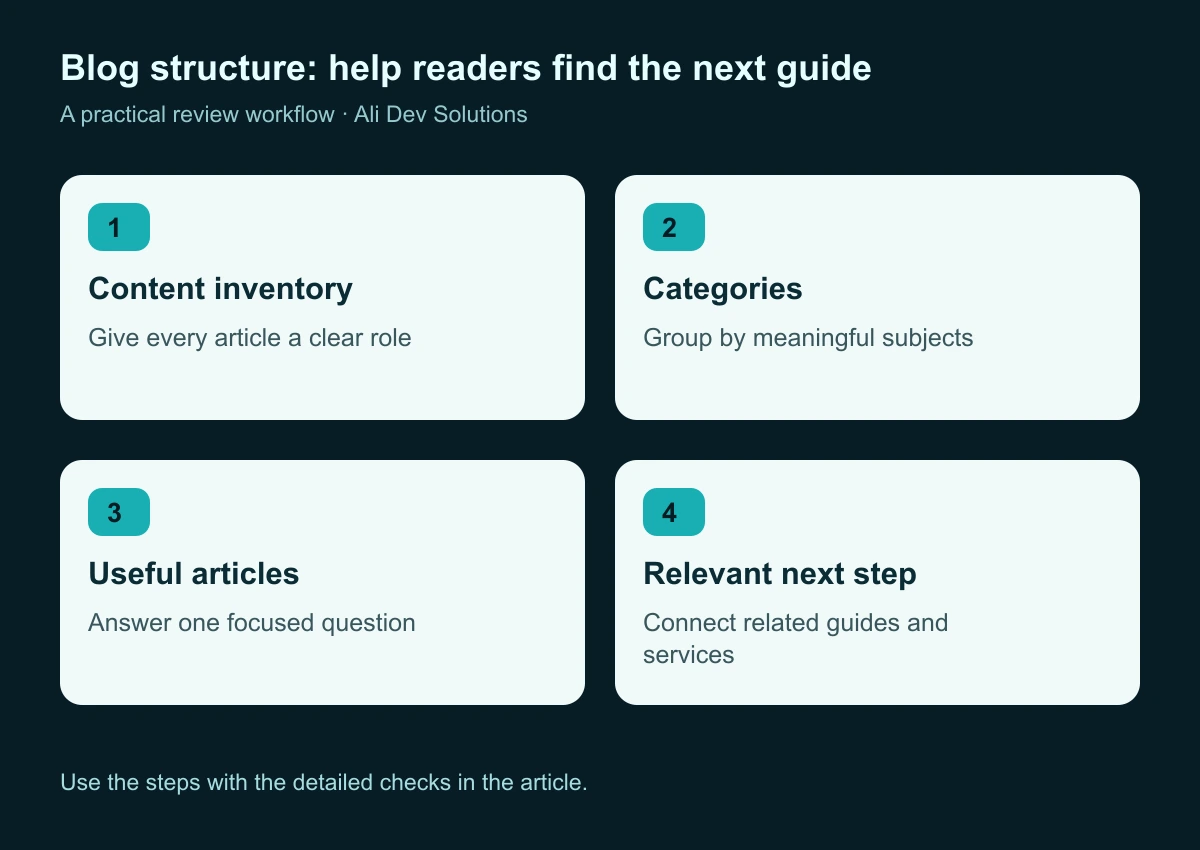
Organise the library around reader needs, then connect each article to an appropriate next step.
Understand what category and tag pages create
Squarespace's filtered-page guidance explains that blog categories and tags create filtered result pages. It documents static URL forms, their search-visibility controls, and the importance of using the intended links when directing visitors to them.
Inspect the actual URLs on your site before planning a large navigation change. Check what happens when a visitor opens a category directly, follows a tag from an article, or arrives through an older link. Record the expected destination and visible content.
A category archive and a custom editorial hub are different tools. An archive gathers matching items. A custom hub can add an introduction, selected guides, context, and a more deliberate reading order. Use the option that serves the reader rather than assuming every category requires its own elaborate landing page.
Design the main blog page around a clear reading order
Begin with a concise introduction that explains what the publication covers. Choose a small number of featured articles that deserve more attention, then give visitors an understandable route into the main subjects. Recent posts can remain available without becoming the entire page structure.
Use visual hierarchy to distinguish the featured story, category sections, and ordinary article cards. If every card has a large image, multiple badges, a long excerpt, and a strong button, the page becomes difficult to scan. Decide what information helps someone choose an article, then remove unnecessary repetition.
On mobile, check the first few screens carefully. A visitor should discover useful content without passing through a large decorative banner, a long introductory essay, and a complex filter system. A clean layout can still feel engaging through typography, image quality, and well-chosen featured content.
Make article cards informative without overcrowding them
A useful card normally needs a clear title, a relevant image where available, and enough context to explain why the post matters. Metadata should support that choice. Dates are helpful when freshness affects the advice, while a category label can help establish the subject.
Keep image presentation consistent across the grid. The focal subject should survive the intended crop, and text embedded in artwork should remain legible if you use it. An attractive featured image is not useful when the most important part disappears on a smaller card.
Avoid introducing decorative labels that appear interactive but have no clear action. If a category label opens an archive, make that behaviour consistent. If it is only descriptive, ensure the card still has an obvious primary destination. Review long titles and missing-image states before finalising the component.
Write each article around one useful promise
A focused article is easier to structure, link, and maintain. Define the reader's question, the answer the article will deliver, and what evidence or examples are required. A title should describe that promise accurately instead of trying to include several loosely related topics.
Build a heading outline that reflects a real progression. For a planning guide, that might move from the initial decision to preparation, implementation, testing, and maintenance. For a comparison, it might move through the criteria that change the decision rather than repeating a generic list of advantages.
Use original examples where they add understanding and label hypothetical scenarios clearly. Do not invent client results or treat a competitor's article as evidence of your own experience. The strongest content gives readers a practical tool, a useful explanation, or a clearer decision.
Connect articles to related guides and services
Internal links should help someone continue the task they started. A post about a website brief can lead to a handover checklist or a relevant design service. A post about appointment booking can connect to a guide on the service-page journey.
Use descriptive link text so the destination is understandable in context. Google's link guidance explains the importance of crawlable links and meaningful anchor text. Avoid relying on an image click or an ambiguous “learn more” when a clearer label would help.
Keep the connection useful rather than forcing the same sales paragraph into every article. Our Squarespace website design service belongs naturally in a discussion about restructuring a Squarespace publication, while an unrelated service would distract from the reader's task.
Review titles, descriptions, images, and addresses together
Prepare a publication checklist for the information displayed on the article page and the information used to describe it elsewhere. Review the visible title, search title, description, featured image, image alternative text, and article address as one coherent set.
Use the same central promise across those elements without repeating the same sentence mechanically. A description should summarise the value of the article; it does not need to list every section. A featured image should represent the topic rather than make a promise the text cannot support.
Inspect the resulting published page, because editor fields do not always reveal the final presentation. Check a shared preview where available, the actual heading structure, and the article's position in the library. The SEO title and description guide explains a practical writing and review process.
Plan a useful approach to long collections
As the library expands, visitors need a reliable way to continue browsing. Review the behaviour of pagination, category views, search, and any load-more interaction used by the layout. The next set of articles should be reachable without losing the subject context.
Test returning from an article to the collection. A reader who was exploring a particular category should not need to reconstruct the entire journey. Check whether selected filters, scroll position, or the previous page are preserved in a useful way.
Do not treat an infinite feed as automatically more modern than pagination. The right choice depends on how people browse the material. Our pagination SEO guide explains the discovery and navigation questions to ask before changing a long article collection.
Create a realistic editorial maintenance plan
A publication needs maintenance capacity as well as publishing capacity. Assign ownership for each major subject, and record what should trigger a review. A platform update, an outdated screenshot, a broken integration, or a recurring customer question can all justify revisiting an article.
Keep a small backlog with specific tasks. “Improve SEO” is too broad. “Replace the old booking screenshot and verify the linked setup guide” is actionable. Record the date and substance of significant updates so future editors understand what changed.
Avoid changing dates merely to make old content look new. The article should become more accurate or useful through the review. A manageable library of maintained guides is easier to trust than a constantly expanding archive whose advice is no longer checked.
An illustrative plan for a small service business
Imagine a consultancy with twenty-four blog posts covering planning, delivery, and ongoing support. Its first inventory reveals that several posts address the same early-stage question, while useful maintenance guides are hidden among unrelated announcements. This is a hypothetical example, not a client case study.
The team chooses three main categories and a short approved tag list. It features one introductory guide, presents selected articles by subject, and adds contextual links to the relevant service pages. It keeps existing addresses unless a separate review establishes a reason to change them.
The redesign succeeds as a publishing system when the next article can be added without redesigning the main page. The category rules, card component, image requirements, and editorial checklist should make the process repeatable for someone who did not create the original layout.
Questions to settle before your redesign
How many categories should a blog have? Use enough to explain meaningful subjects and few enough that readers can choose confidently. There is no universal number that makes a publication search-friendly.
Will adding tags make an article rank? Tags help organise content, but adding more of them is not a substitute for useful writing, clear navigation, and a technically accessible page.
Should empty categories appear in the design? You can plan future subjects internally. Public sections should give visitors something useful now rather than create the appearance of a large publication with no content behind it.
Can the existing header and main banner remain? Yes. The content library can be reorganised beneath them. A successful improvement does not require replacing every shared component of the website.
Start with the structure your next ten articles will need
Prepare the inventory, define the category rules, design the card system, and test the reading journey on mobile. Then use a small group of existing articles to validate the layout before applying it across the library.
The result should be a publication that is easier to browse, maintain, and connect to the business behind it. If your Squarespace blog has become a mixed collection of posts, contact Ali Dev Solutions for help turning it into a clearer content hub with a practical publishing workflow.