
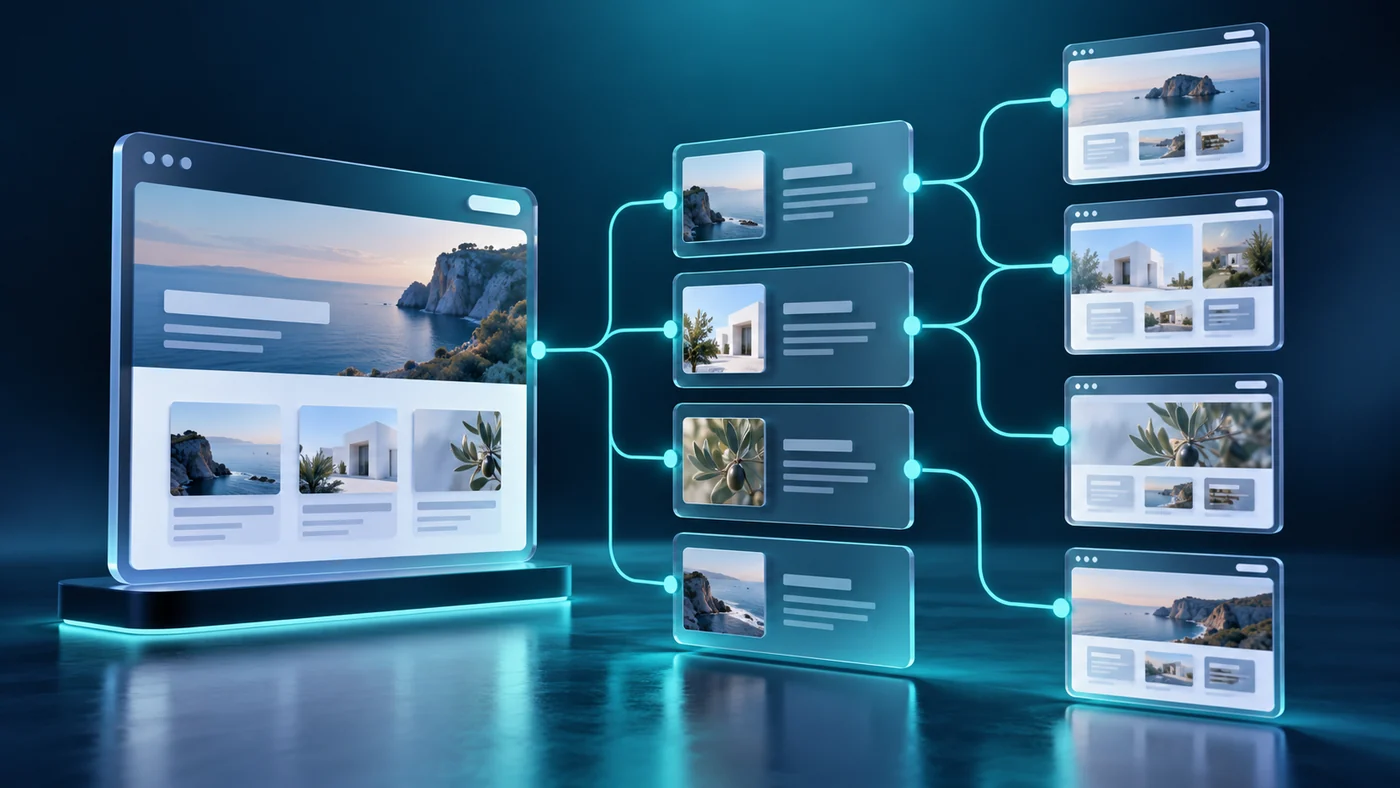
A growing Wix website can become difficult to maintain when every project, service, or team member is built as a separate page. Similar layouts drift apart, editors repeat the same work, and important information becomes inconsistent. A CMS-based approach can make publishing more manageable when the content has a repeatable structure.
Dynamic pages are useful only when the collection and templates reflect genuine visitor needs. This guide explains how to plan Wix CMS collections, design useful list and detail pages, and avoid creating a large set of near-identical pages with little value.
Choose content that benefits from a repeatable structure
Start by identifying information with shared fields. Projects may have a title, client sector, image, scope, and description. A team directory may have names, roles, photographs, and biographies. A resource library may need topics, summaries, files, and publication dates.
Not every page belongs in a collection. A complex homepage or a unique campaign may require a different structure. Choose CMS content because it supports the publishing workflow, not because every page must use the same technology.
Wix describes dynamic pages as templates connected to CMS content, with list pages presenting multiple items and item pages providing individual details. Its dynamic-page overview explains the platform model. Your planning should determine what each of those destinations needs to accomplish.
Design the collection before designing the cards
Create a field inventory before opening the page designer. For each field, record its purpose, expected content, required status, and responsible editor. Distinguish information that belongs in the listing from information that is useful only on the detail page.
For an illustrative project directory, the card might need a title, category, and thumbnail. The detail page may also require the brief, work delivered, approved images, and a related service. If those fields are absent, an attractive template still cannot tell a convincing project story.
Use meaningful field names. A future editor should understand the difference between a card image and a full presentation image. Add examples and entry guidance so content is consistent without depending on the original designer's memory.
Give list pages a clear browsing purpose
A list page should help visitors compare and choose. Decide which information matters before someone opens an item. A service directory may need a short scope statement; a project portfolio may need the platform or type of business. Avoid filling the listing with every available field.
Use filters only when they help distinguish a meaningful collection. A small directory may be easier to browse without several controls. Where filters are needed, use labels visitors understand and provide a clear way to reset them. Check the empty state as carefully as the normal results.
The information architecture guide can help connect the directory to the wider site. A collection should have a natural place in navigation rather than becoming an isolated feature.
Make item pages worth opening
An individual page should provide information beyond the card someone just clicked. Explain the item's purpose, important details, and relevant next step. A project page can describe the problem and delivered scope; a team page can explain responsibilities and expertise.
Avoid publishing pages made from the same paragraph with a different name inserted. Shared structure is useful, but the content should give visitors a reason to care about that specific item. More URLs do not automatically create more search value.
Plan optional fields deliberately. If an item has no testimonial or download, the layout should handle the absence cleanly. Do not leave empty headings, broken buttons, or large blank panels. Test a minimally populated entry before approving the template.
Set URL and search conventions early
Agree how item URLs will be formed and who can change them. A stable, understandable address is easier to share and maintain than a pattern that changes whenever an editor revises a headline. Record the consequences of renaming an item or changing its URL field.
Each published detail page needs an accurate title, main heading, description, and relevant internal links. Review how the CMS fields feed those elements. Do not assume the visible item title automatically produces the search presentation you intended.
Check current Wix settings for the dynamic-page type you are using, then inspect the public result. The test should confirm the actual URL, content, and search instructions rather than relying only on the editor preview. See the service-page content guide for planning useful page information.
Treat image fields as part of the content system
Define separate image uses where necessary. A portrait thumbnail, a wide card cover, and a detailed website screenshot may require different crops. Forcing one image into every container can make the content look inconsistent or hide important details.
Explain the expected aspect ratio, subject placement, and alternative-text approach in the editor guidance. A decorative image and a photograph conveying useful information do not need the same treatment. Review real uploads rather than approving templates filled only with ideal sample images.
Test a phone-width layout with long titles and different image proportions. The CMS makes publishing faster, so small visual problems can be repeated many times unless the component handles realistic content well.
Define publishing roles and review stages
Decide who can add records, edit them, approve them, and publish them. A dependable process should prevent draft or incomplete content becoming public accidentally. Match access to the task and review the platform's available permission controls for your setup.
Create a lightweight checklist: required fields complete, links correct, images suitable, contact action tested, and content approved. The workflow should be usable by the people who will maintain the site. A complicated process that editors bypass offers little protection.
If collaborators update content from different locations or time zones, record who owns the final review. A shared collection should reduce duplicated effort without making responsibility unclear. The CMS governance guide covers that ownership in more detail.
Test collection changes as website changes
A field rename, a new category, or a revised filter can affect the public experience. Treat schema changes as controlled work rather than routine text editing. Review which templates and controls depend on the field before removing or repurposing it.
Use a small representative test set: a normal record, a long record, a record missing optional fields, and an unpublished record. Verify the listing, detail page, navigation, search presentation, and mobile behaviour for each relevant case.
Before a large import, agree the data format and run a limited trial. Review the results with the editor before adding the full collection. This is easier to correct than a live directory populated with inconsistent titles, duplicate items, or broken asset references.
Build a system the business can maintain
A successful dynamic website combines a clear collection, useful templates, and a manageable publishing process. The benefit comes from more consistent content and less repeated work, not simply a higher page count.
Ali Dev Solutions provides Wix and Wix Studio website design for service businesses, portfolios, and content-led websites. Share your directory or CMS requirements to discuss the fields, templates, and editing workflow before building a collection that becomes difficult to change later.